10 Therapy Appointment Confirmation Email Templates (Copy & Paste)
When a client books a session, the silence between "Submit" and their appointment can be anxiety-inducing. A clear, warm confirmation email bridges that gap, reduces no-shows, and sets professional boundaries immediately.
TL;DR
- Timing: Send immediately after booking (automate this!).
- Content: Date, time, location (or link), and cancellation policy.
- Privacy: Keep subject lines discreet and avoid clinical details.
- Tone: Professional, welcoming, but firm on policies.
- Pro Tip: Include a "Save to Calendar" link to reduce forgotten appointments.
What is a Therapy Confirmation Email?
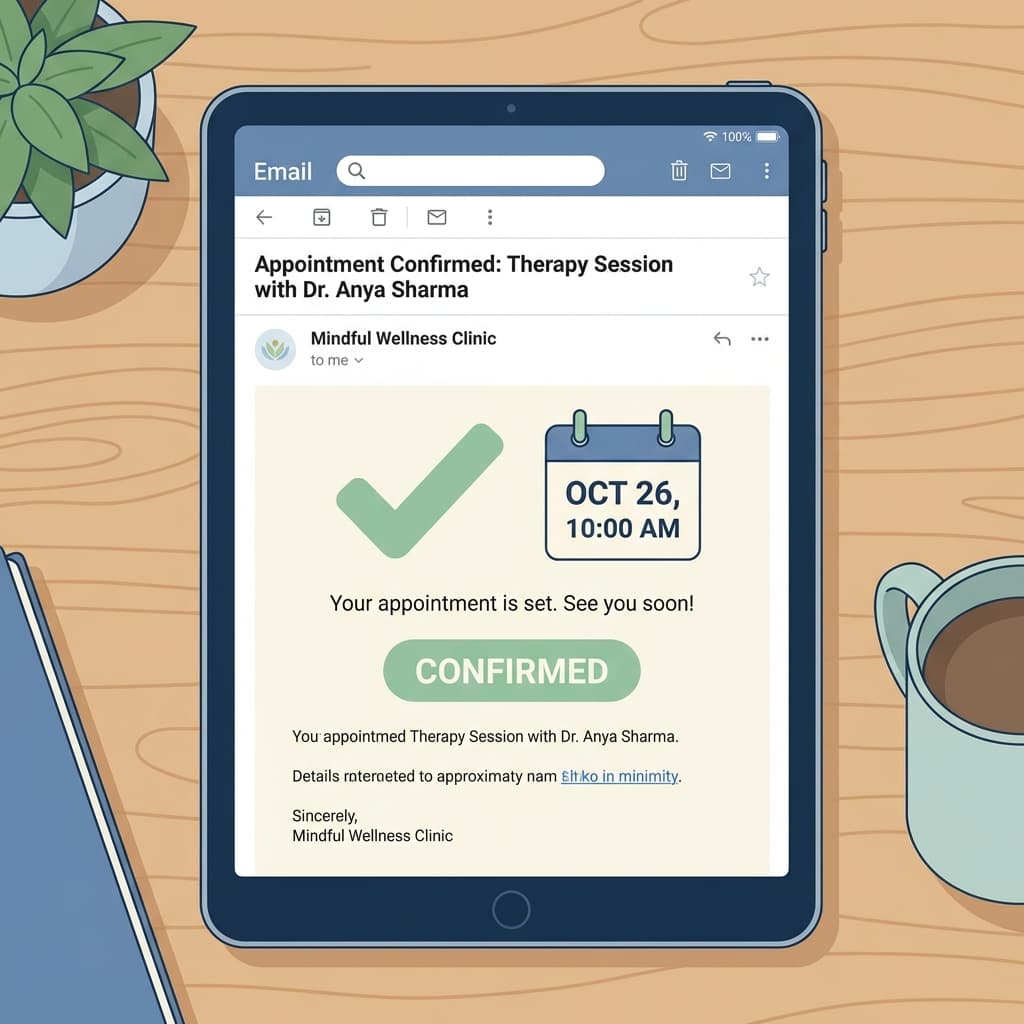
A therapy appointment confirmation email is an automated message sent to a client immediately after they schedule a session. Unlike a reminder (which comes later), its primary purpose is to validate the booking and provide logistical details like the Zoom link or office address. It is a transactional email, distinct from clinical communication.
10 Discreet Subject Lines (Open Rates + Privacy)
Subject lines for therapy need to balance clarity with discretion. You likely don't want "PSYCHOTHERAPY INTAKE CONFIRMATION" popping up on a client's locked screen notification.
- Appointment Confirmation: [Date] at [Time]
- Your scheduled session with [Practice Name]
- Confirmation: Appointment on [Date]
- Booking Details: [First Name] & [Provider Name]
- Your upcoming visit to [Practice Name]
- Session Confirmed: [Date]
- Action Required: Intake Forms for [Date]
- Schedule Update: Your appointment is set
- [Practice Name]: Appointment Details
- Reminder: Session on [Date]
6 Confirmation Email Templates
1. New Client Intake (In-Person)
Subject: Confirmation: Initial Consultation with [Practice Name]
Dear [Client Name],
This email confirms your initial consultation scheduled for:
Date: [Date] Time: [Time] Location: [Full Address, include parking/door code instructions]
Important Next Steps: Please complete your intake forms at least 24 hours before our session: [Link to Secure Portal]
Cancellation Policy: We require 24 hours' notice for cancellations. Late cancellations may incur a fee of $[Amount].
we look forward to meeting you.
Warmly, [Your Name/Practice Name]
2. Telehealth Session (Zoom/Meet)
Subject: Appointment Confirmed: Telehealth Session on [Date]
Hi [Client Name],
Your virtual session is confirmed for [Date] at [Time].
Join Video Call: [Link to Zoom/Google Meet] Password: [Password]
Please test your audio and video 5 minutes before our start time. Ensure you are in a private, quiet space with a stable internet connection.
If you have technical difficulties, please text/email me at [Contact Info].
Best, [Your Name]
3. Returning Client (Standard)
Subject: Appointment Confirmation: [Date]
Hi [Client Name],
Just a quick note to confirm our session on [Date] at [Time].
Location: [Link or "Online"]
If you need to reschedule, please use this link: [Reschedule Link]
See you soon, [Your Name]
4. Couples Therapy Confirmation
Subject: Confirmation: Couples Session for [Names]
Dear [Client Names],
Your couples therapy session is confirmed for [Date] at [Time].
Please ensure both partners utilize the secure video link below if joining remotely, or arrive 5 minutes early if in-person.
Link: [Video Link]
Note on Cancellations: Please note that our 48-hour cancellation policy applies to this appointment types.
Regards, [Your Name]
5. "Waitlist Spot" Confirmation
Subject: Spot Available: Your appointment is booked!
Hi [Client Name],
Good news! A spot opened up and we have booked you for [Date] at [Time] as requested from the waitlist.
Please confirm receipt of this email so I know you can still make it.
Best, [Your Name]
6. Payment Required (Deposit/Full Fee)
Subject: Booking Pending: Payment for [Date]
Hi [Client Name],
Thanks for requesting an appointment on [Date] at [Time].
To finalize your booking, please complete the deposit payment of $[Amount] using the secure link below. The slot will be held for 2 hours.
[Payment Link]
Once payment is received, you will get a final confirmation.
Thanks, [Your Name]
What NOT to Include (Privacy & HIPAA)
Even with HIPAA-compliant email, it's best practice to minimize Personal Health Information (PHI).
- Avoid: Diagnosis codes or specific treatment plans in the body.
- Avoid: "Mental Mental Clinic" in the sender name if "MMC" suffices.
- Avoid: Subject lines like "Depression Screening Confirmation".
- Do: Use a secure portal link for any sensitive documents.
How to Automate Confirmations
You shouldn't be copy-pasting these manually. Your scheduling software should handle this instantly.
- Set up your Scheduler: Use a tool like OnlyCaly or SimplePractice.
- Customize the Template: Paste the templates above into the "Email Notifications" settings.
- Add Dynamic Fields: Use variables like
{client_name},{appointment_time}, and{location}so the system fills them in automatically. - Test: Book a fake appointment to yourself to check formatting.
Common Mistakes
- Sending from a personal Gmail: Always use a professional, HIPAA-compliant email service or your scheduler's notification system.
- Forgetting the Link: For telehealth, if the Zoom link isn't in the confirmation, you will get a frantic text at minute 1 of the session.
- Hidden Cancel Policy: Don't bury the fee info. Put it clearly in every confirmation so clients can't say "I didn't know."
- Cluttered Design: Keep it text-based and clean. heavy graphics trigger spam filters.
FAQ
Can I include the Zoom link in the email? Yes, this is standard practice. Just ensure your Zoom waiting room feature is enabled to prevent "Zoom bombing" or overlap with previous clients.
What if I need to send a form? Include the link to your secure client portal (e.g., SimplePractice, OnlyCaly forms) in the confirmation email. Do not attach PDF forms that clients have to print and email back (insecure).
Should I ask clients to reply to confirm? Generally, no. The act of booking is the confirmation. Asking for a reply adds admin work. Only ask for re-confirmation for waitlist spots or very expensive assessments.
Streamline Your Practice Stop writing emails by hand. OnlyCaly sends automated, professional confirmations and reminders for free.